01 / PDF
Executive report
See your score, findings, information gaps and phased actions in a format you can share with leadership.
Your team uses AI with client work. Check your rules for client information, approved tools and reviewing AI-generated work. Answer 12 questions to see gaps and proposed next steps based on your answers.
12 questions. See your results before deciding whether to buy.
Optional document pack: A$195 including GST · one-time purchase
For owners and practice managers
For Australian professional-services firms using tools such as ChatGPT or Copilot with client work, or preparing to start.
The free check helps you identify gaps in your current practices and see proposed actions to discuss with your team. Choose “Unsure” when you do not know an answer.
Need a hands-on review of Microsoft 365 permissions and Copilot readiness? Explore our consulting assessment.
Optional AI Trust Pack · A$195 including GST
If you need help documenting your approach, the pack prepares six drafts from your detailed assessment and reported AI systems. Review and adapt them together, instead of assembling a policy, registers and procedures from scratch.
One executive PDF, three editable Word documents and two Excel workbooks, delivered in a ZIP download.
See your score, findings, information gaps and phased actions in a format you can share with leadership.
A proposed policy to review, approve and communicate to your team.
Record reported AI systems, owners, risks and unknowns in an editable inventory.
A proposed handling table to help review how information is used with AI tools.
A proposed process for reporting, containment, assessment, escalation, recovery and learning.
A working draft for internal review. It is not authorised for external issue.
All documents require review and adoption. The pack reflects self-reported answers; it does not verify implementation, certify compliance or replace an independent audit.
See what you are getting
All six documents for Demo Co, a fictional accounting firm, in one PDF: the executive report as generated, the three Word documents as printed from Word, and every Excel sheet with its dropdown options listed. No email address required.
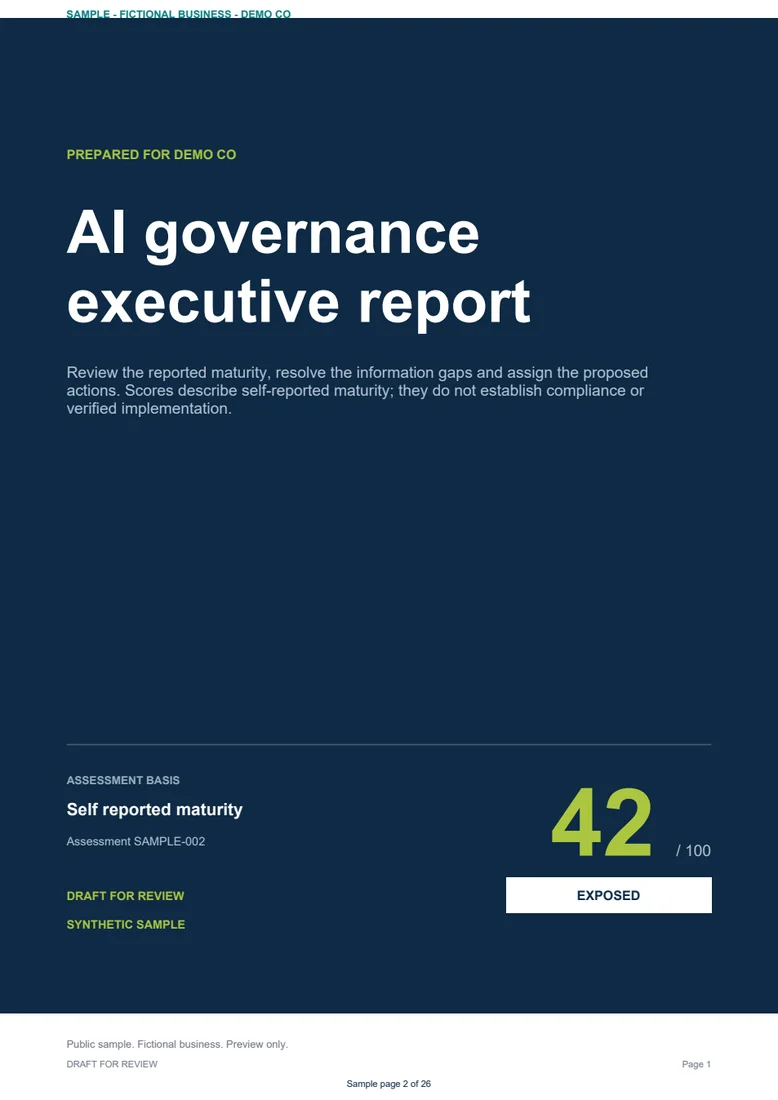
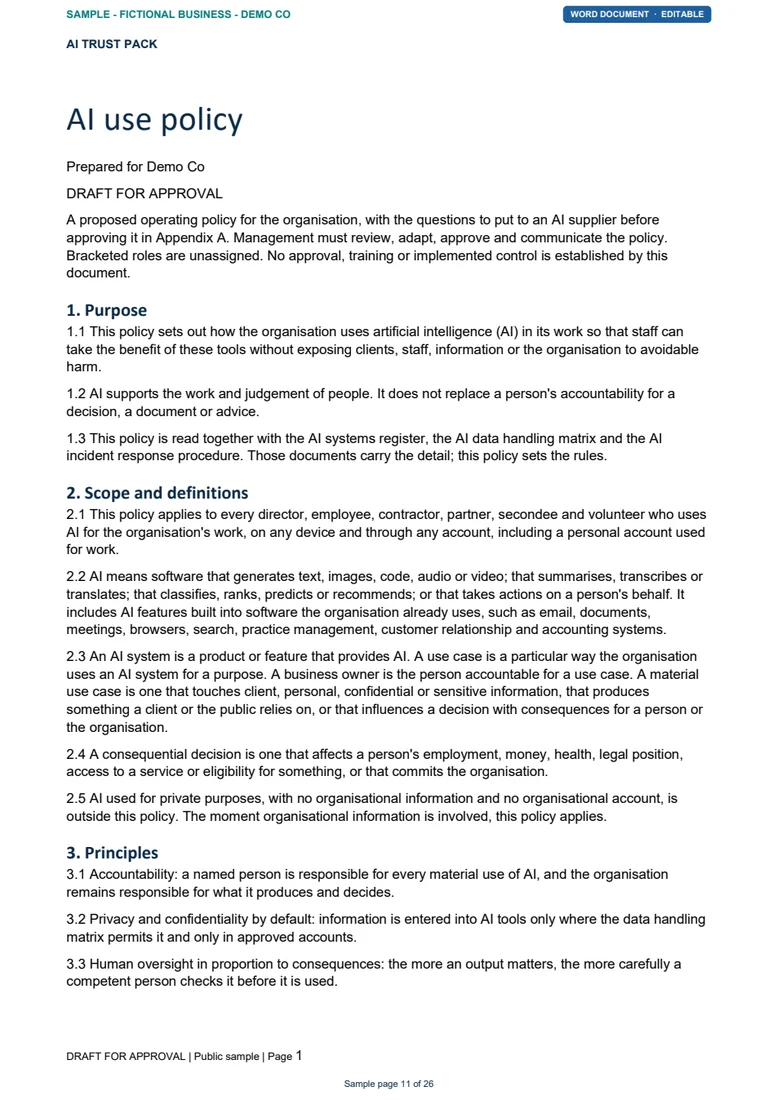
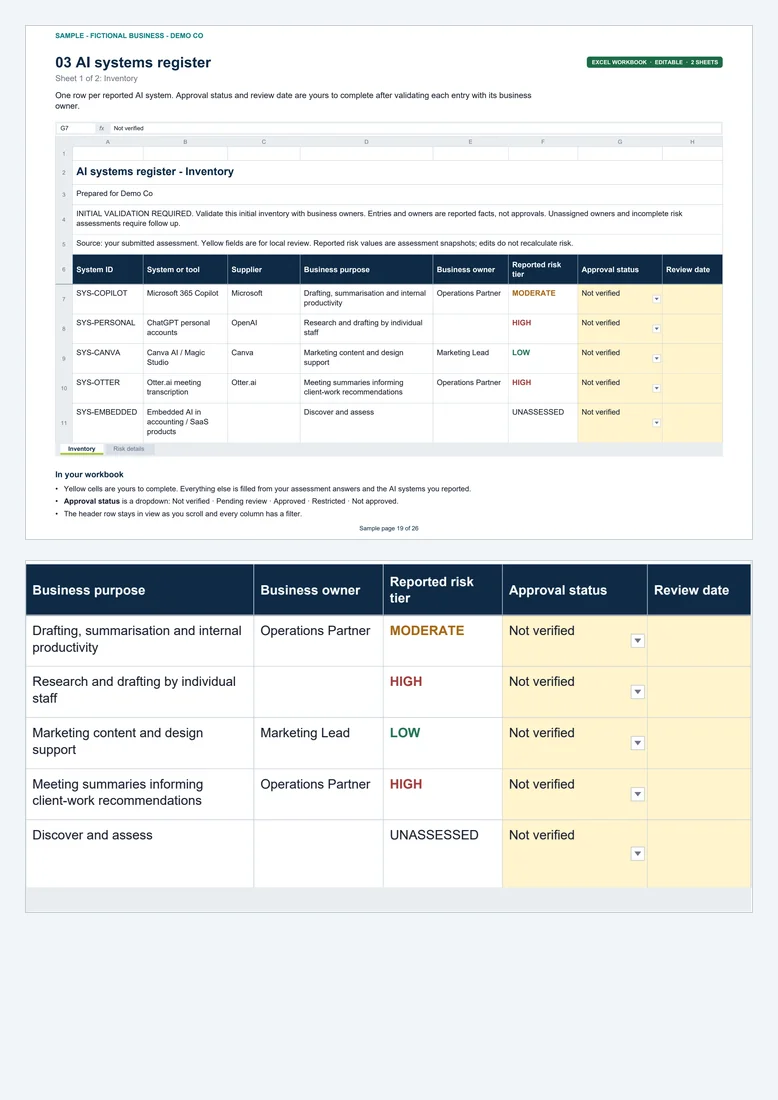
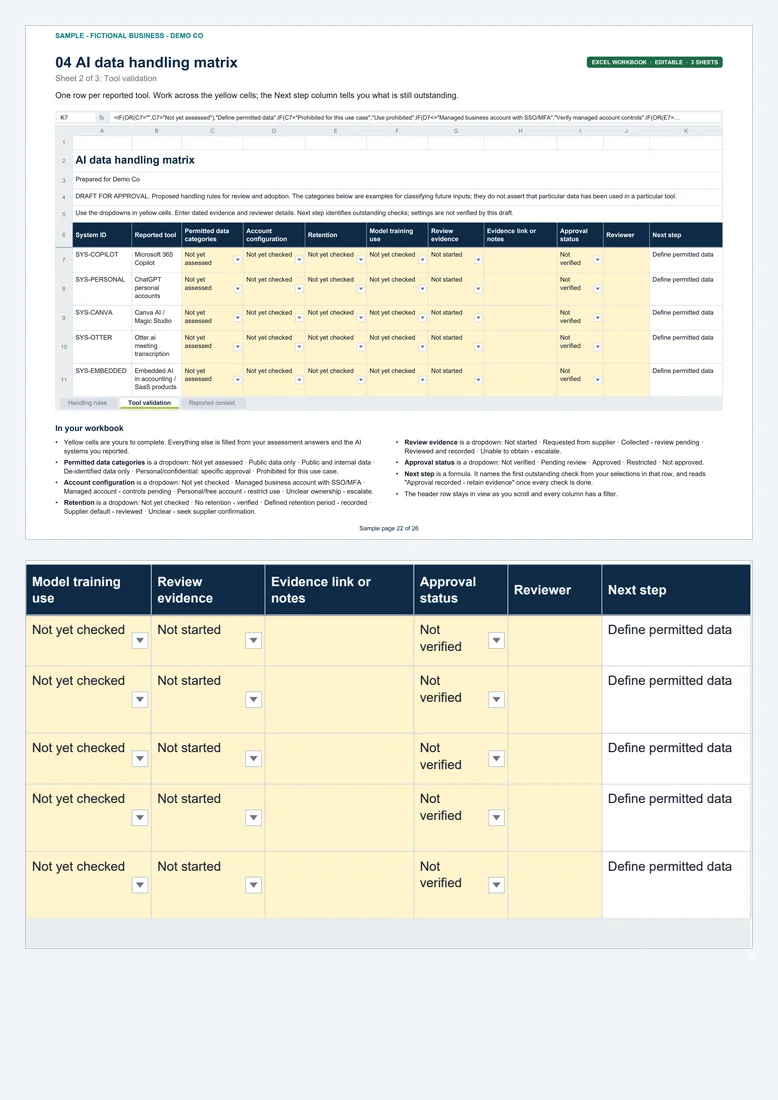
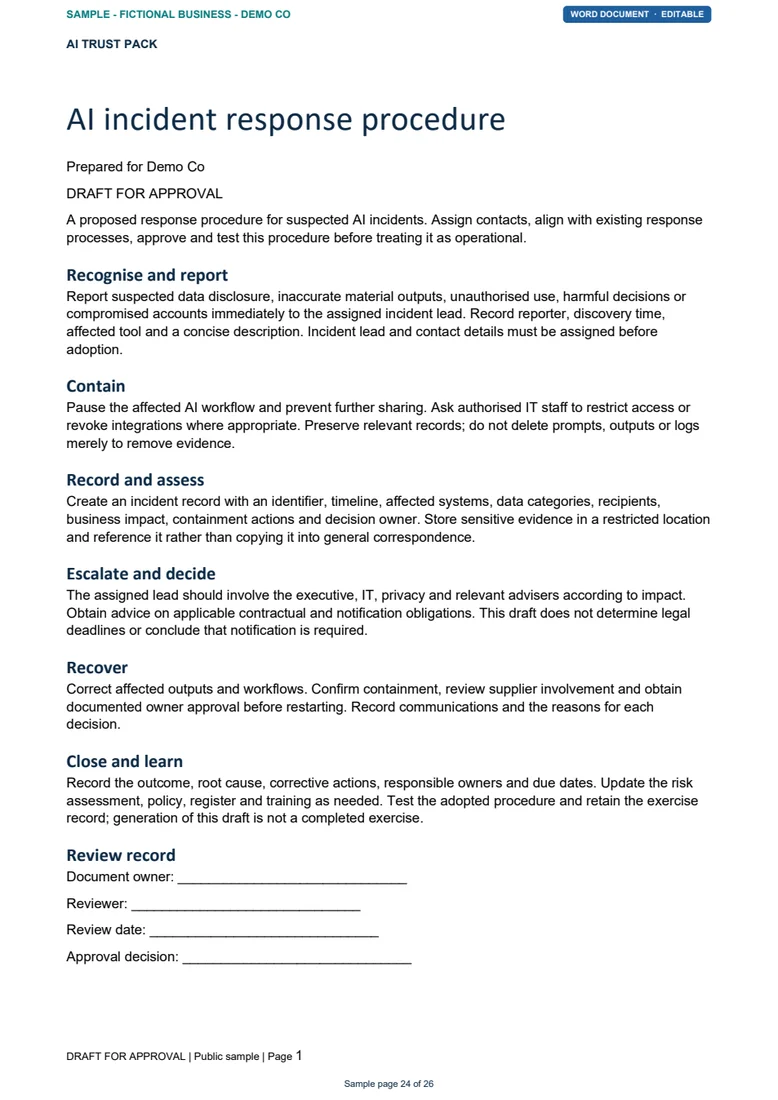
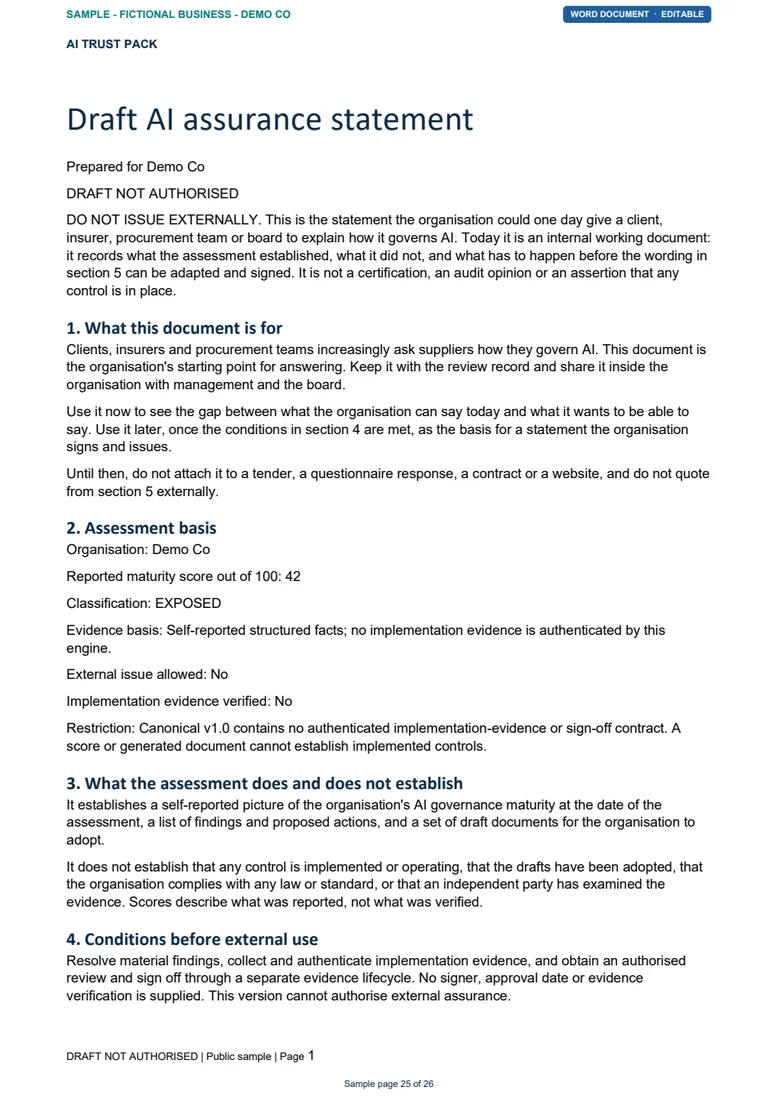
Inside the PDF: Domain scores · Findings · Action plan · Supplier questions · Tool validation sheet
Select a document to open the PDF at that page. Your purchased pack is a ZIP of six separate files: one PDF, three editable Word documents and two Excel workbooks. This is a fictional product example, not a client case study or issued assurance.
The free check is 12 questions, and your results show on screen straight away. You don’t need to give an email address.
How it works
Answer 12 questions about your current practices. Choose “Unsure” where you do not know.
See your screening score, top findings and proposed actions where gaps are identified. No purchase required.
The optional A$195 pack continues through checkout to a detailed 36-question assessment and details of your AI systems.
Download your generated pack, review it with the right people and adopt the actions and documents you need.
A clear choice
Review your screening results before deciding whether you need the full pack.
Your starting point
A$0
12 questions about your AI rules, information handling and oversight.
Go further
A$195 including GST · one-time purchase
Organisation-specific documents to review and put into practice.
Start with the free assessment. Choose the paid pack after reviewing your screening results. Read the purchase terms, including delivery, refunds and support.
View a sample packCommon questions
It gives you a screening score and up to three top findings from 12 self-reported answers, with proposed actions where gaps are identified. Use these to discuss next steps with your team. It is not a full assessment or evidence that your AI use is safe.
No. You can review the free screening results before deciding whether to continue to the pack journey.
Start with the free screening and review your results. If you choose the pack, checkout comes before the detailed questionnaire. Once your answers are complete, your pack is generated for download.
No. The AI Trust Pack is a self-service governance assessment and document pack. Navigator’s AI readiness consulting assessment is a separately scoped engagement covering Microsoft 365 data exposure, permissions, governance and implementation priorities.
Yes. Preview and download a sample pack for a fictional business, without providing an email address. The sample PDF covers all six documents; the purchased pack includes separate PDF, Word and Excel files.
Yes. The pack contains three Word documents and two Excel workbooks alongside the executive PDF. Review and adapt the drafts before approving and adopting them in your organisation.
No. It is based on your answers and does not verify your controls or certify compliance. The assurance statement is a draft for internal review and must not be issued externally.
The pack journey asks for your organisation’s context, answers to 36 governance questions and details of the AI systems you use. Read the application’s collection notice before entering information.
Email support@navigatorconsulting.com.au with your order reference and the issue. If you request a refund within 14 days of purchase and have not submitted the detailed assessment, we refund in full. After generation, change-of-mind requests are considered case by case. If your pack is not delivered within 24 hours and we cannot fix it, you choose a refund or a re-supply. Your Australian Consumer Law rights apply regardless. Read the refund and support terms.
Your next step
Check your AI rules. See the gaps and proposed next steps.
Free screening · Optional one-time pack purchase